
Most of us have been there: a gallery packed with thousands of photos, duplicate shots, blurry frames, and videos we recorded once and never watched again. The storage warning keeps popping up, but scrolling through the gallery to clean it out feels like a chore that never quite happens. I wanted a faster way to make those decisions — so I built one.
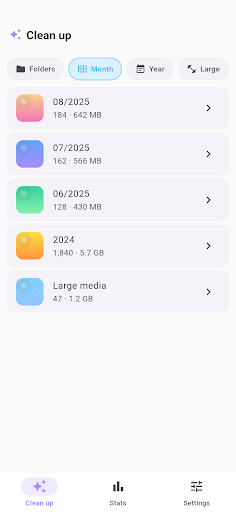
I built Phocle because the standard gallery app was never designed for bulk cleanup. Deleting photos one by one is tedious, and most cleaner apps either guess what to remove (scary) or dump everything into an overwhelming list. I wanted something that felt more like a quick decision game: look at a photo, swipe left or right, move on. That simple loop turned out to be surprisingly satisfying to build — and even more satisfying to actually use on my own overstuffed phone.
What Phocle Does
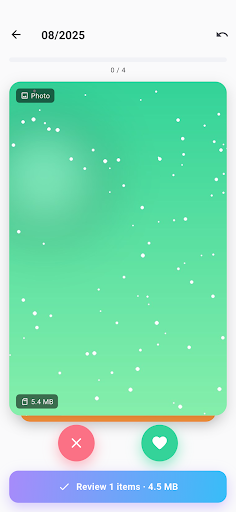
- Swipe to decide: Swipe left to mark a photo for deletion, swipe right to keep it. The interaction is one-handed and fast, which makes it easy to burn through a big batch in just a few minutes.
- Smart grouping: Phocle automatically groups your media by month, year, folder, and large files. Instead of facing your entire gallery at once, you pick a group and work through it in one focused session.
- Final review before anything is deleted: After you finish swiping, Phocle shows you a grid of every photo you marked. You can tap any photo to pull it back from the delete list before you commit. Nothing is gone until you say so.
- Undo support: Changed your mind mid-swipe? One tap brings back the last card instantly.
- Photos and videos: Large videos are often the biggest storage culprits. Phocle handles both photos and videos so you can tackle them in the same cleanup session.
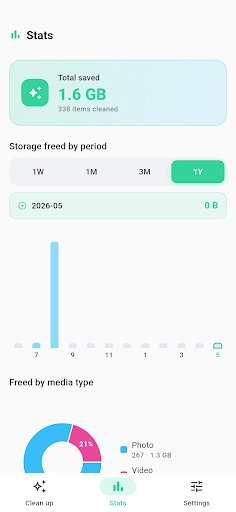
- Cleanup stats: Phocle tracks how many files you have deleted and how much storage you have reclaimed over time, which is a small but motivating detail.
- Safe deletion: Android’s system confirmation dialog appears before anything is permanently removed. Your photos are never deleted without your explicit approval.
One thing I was careful about is privacy. Phocle does not upload your photos anywhere. All the processing happens on-device, and the photo permission is used only for the cleanup workflow. The app is free and supported by AdMob ads to keep the lights on.
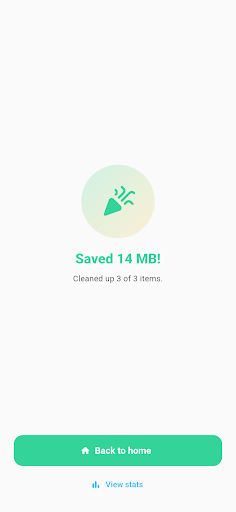
Phocle is for anyone who has let their camera roll grow out of control and wants a practical way to deal with it without spending an entire afternoon on it. It is especially useful if you take a lot of burst shots, travel photos, or event pictures that pile up fast — the monthly and yearly grouping makes it easy to work through old batches without getting overwhelmed.
Phocle 1.0.0 is live now on Google Play. If you are an Android user with a gallery that could use some breathing room, give it a try and let me know what you think — feedback at this stage genuinely shapes where the app goes next.
Play Store에서 다운로드: Phocle – Photo Cleaner
Official page: reactiveworks.dev/apps/phocle
Update history: ahngo13.github.io
Leave a Reply