If you’ve ever stared at a chord diagram in a songbook and had absolutely no idea what your fingers were supposed to do, you’re not alone. Most chord reference tools are either buried inside massive music apps you don’t need, or they’re cluttered with ads and upsells that get in the way. I wanted something faster and simpler than that.
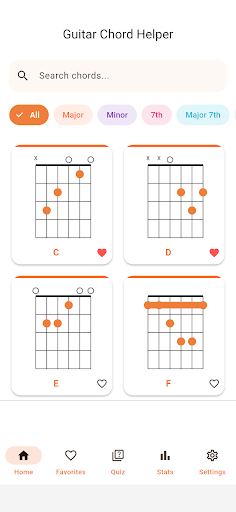
I built Guitar Chord Helper because I kept reaching for my phone during practice sessions to look up a chord I half-remembered, and every app I tried made me wait through onboarding screens or tap through three menus just to see a diagram. I wanted zero friction — open the app, pick a chord, see it, hear it, done. Version 1.1.1 is now live on Google Play, and it includes two features I’m especially happy about: a chord quiz mode and a learning stats tracker.
What it does
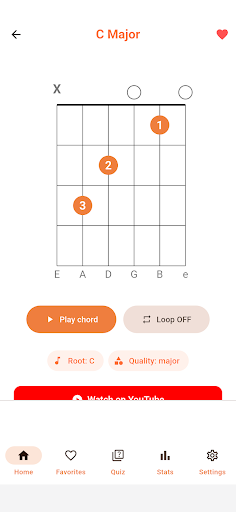
- Colorful chord diagrams — Chords are organized by type: Major, Minor, 7th, Major 7th, Minor 7th, Sus, and more. Fingering positions, base fret, and barre markings are all shown at a glance, no guessing required.
- Karplus-Strong synthesized sound — Tap any chord and hear a natural plucked-string sound generated on the fly. There are no audio files to download; the synthesis happens directly on your device.
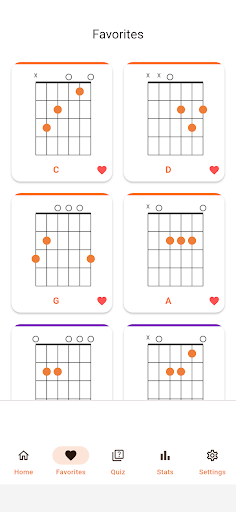
- Favorites tab — Save the chords you use most and pull them up instantly. Useful when you’re running through a song’s chord progression before a practice session.
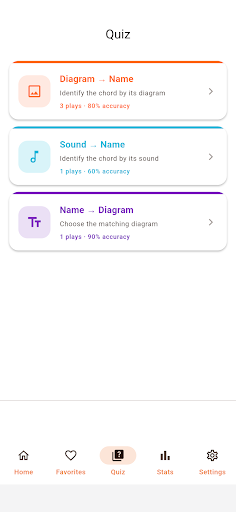
- Chord-learning quizzes — Three quiz modes let you identify a chord by its diagram, by its sound, or match a chord name to the right diagram. Each session is ten questions, so it fits into a spare few minutes without feeling like homework.
- Learning stats — The app tracks your accuracy and best score per quiz mode, shows a recent score trend, and breaks down your accuracy by chord category so you can see exactly where the gaps are.
- YouTube performance videos — From any chord’s detail screen, you can jump to related YouTube videos to watch a real player finger and strum it in context.
The app also supports both English and Korean, switchable from the settings screen at any time. It’s ad-supported with a small banner ad positioned to stay out of your way, and it stays lightweight — no bloat, no required account.
Guitar Chord Helper is aimed squarely at beginners and casual players — people who just picked up an acoustic, anyone who gets confused reading chord charts in a songbook, or players learning a new song and wanting to nail the chord shapes before they sit down to practice. It’s also handy for anyone curious about capo positions or alternate voicings who just needs a quick visual reference without digging through a full music theory app.
If any of that sounds like your situation, give it a try. Search for Guitar Chord Helper – Diagrams on Google Play, install it, and see if it makes your next practice session a little smoother.
Play Store에서 다운로드: Guitar Chord Helper – Diagrams
Official page: reactiveworks.dev/apps/guitarchordhelper
Update history: ahngo13.github.io
Leave a Reply