If you’re managing diabetes or monitoring blood glucose levels, you know the drill: test your blood, write down the number, try to remember what you ate, and hope you can spot patterns when your doctor asks. Most apps either over-complicate this or send your health data to a cloud server you don’t control.
I built Glucose Diary to solve both problems. It’s a straightforward blood glucose tracker that stores everything locally on your device—no account, no internet connection, no data leaving your phone.
Why I built it
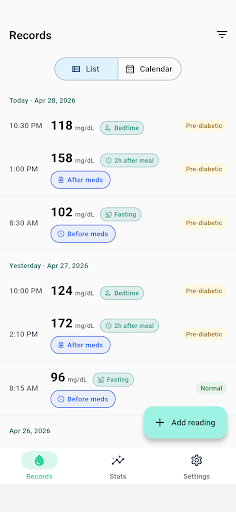
I wanted a tool that respected two principles: privacy first, and context matters. Blood glucose readings don’t exist in a vacuum—a fasting measurement of 110 mg/dL means something very different from a 2-hour post-meal reading of the same number. Most tracking apps I found either ignored meal timing entirely or required jumping through hoops to log it.
I also wanted full control over my data. Health information is sensitive, and I didn’t want it syncing to a server I couldn’t audit. Everything in Glucose Diary lives in a local SQLite database. You can export it as CSV to share with your doctor, or back up the full JSON file when switching phones—but nothing leaves your device unless you explicitly choose to send it.
What it does
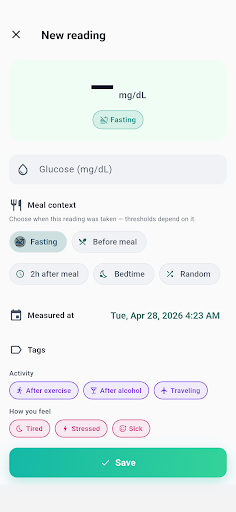
- Meal-context tracking — Every reading is logged with its timing: fasting, pre-meal, 2-hour post-meal, bedtime, or random. The app auto-classifies each entry based on context-appropriate thresholds, because “normal” at 7 AM isn’t the same as “normal” at noon.
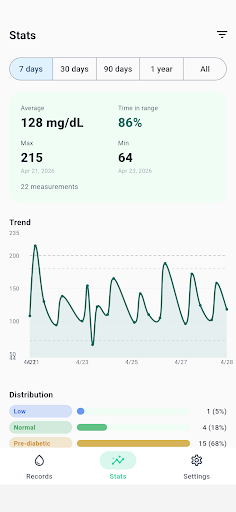
- Visual trends and estimated A1C — A line chart plots your glucose over time with target-range guides (70–180 mg/dL). After 14 days of readings, the app calculates an estimated A1C using the ADA’s average-glucose conversion formula—a useful proxy between lab visits.
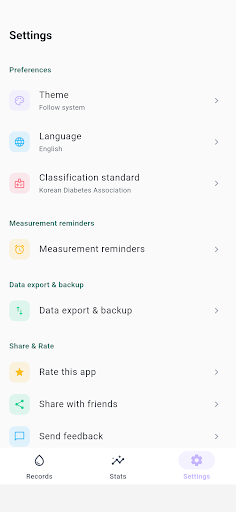
- ADA or KDA standards — Choose the classification standard your doctor uses (American Diabetes Association or Korean Diabetes Association). Switch anytime—your raw data stays unchanged; only the category labels update.
- Activity and medication tags — One-tap tags for common contexts like “After exercise,” “Stressed,” “After insulin,” or “Sick.” You can also create custom tags as needed.
- Calendar view and reminders — A month-view calendar shows which days you logged readings, with color-coded dots by category. Set up to three daily reminders at the times and weekdays you choose—all scheduled locally, no internet required.
- CSV export and JSON backup — Export your readings as a spreadsheet to share with your healthcare team, or back up the full database as JSON for restoring on a new device.
Who it’s for
Glucose Diary is designed for anyone tracking blood glucose—whether you’re managing Type 1 or Type 2 diabetes, monitoring pre-diabetes, or just keeping an eye on your levels for general health. It’s especially useful if you care about data privacy and want a no-nonsense tool that doesn’t require creating an account or trusting a third party with your health data.
The app supports both English and Korean, and it auto-detects your system locale (or you can pick manually in Settings). Dark mode is fully supported.
A quick disclaimer
This is a self-monitoring diary, not a medical device. The categories and estimated A1C are reference indicators only—they don’t replace your doctor’s judgment. Always discuss diagnostic or treatment decisions with your physician.
If you’ve been looking for a simple, private way to track your glucose readings with proper meal context, give Glucose Diary a try. It’s free on the Play Store, and your data stays exactly where it belongs: on your device.
Download on Google Play: Glucose Diary – Daily Tracker
Official page: reactiveworks.dev/apps/glucosemeter
Leave a Reply