Most productivity apps start with anxiety. They ask you to make lists of everything you haven’t done yet, then spend the day reminding you about it. I wanted something different: an app that lets you end each day feeling accomplished instead of guilty.
That’s why I built What I Did (WID).
Why I Built This
I got tired of to-do lists making me feel behind before the day even started. The constant pressure of unchecked boxes, overdue tasks, and that nagging feeling that I should be doing more—it was exhausting.
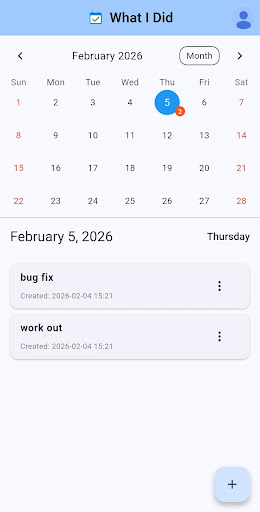
So I flipped the model. Instead of tracking obligations, What I Did tracks accomplishments. You record what you actually did today, not what you think you should have done. Made breakfast? That counts. Took a walk? Write it down. Had coffee with a friend? Add it to your day.
The shift is subtle but powerful. You’re building a record of how you spent your time, not a monument to your failures. Even on days that feel unproductive, you’ll be surprised how much you actually did.
What It Does
I kept the feature set intentionally minimal. Here’s what’s included:
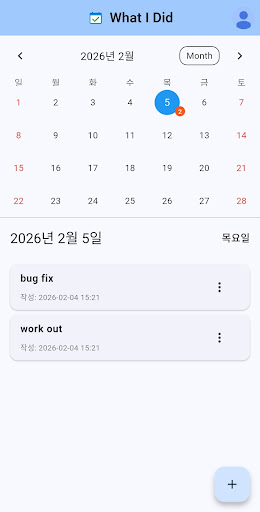
- Calendar-based tracking: Every activity gets recorded on a specific date. Open any day to see what you did, with visual markers showing which days have entries.
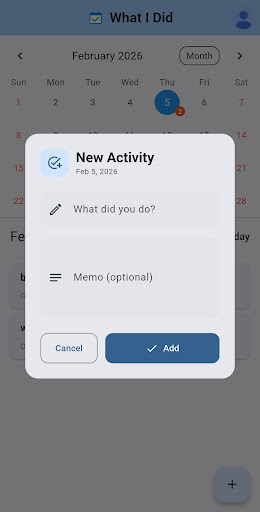
- Quick entry system: Adding an activity takes seconds. Edit or delete entries whenever you need to—nothing is permanent.
- Cloud sync with social login: Sign in with Kakao, Naver, or Google. Your data syncs across devices automatically.
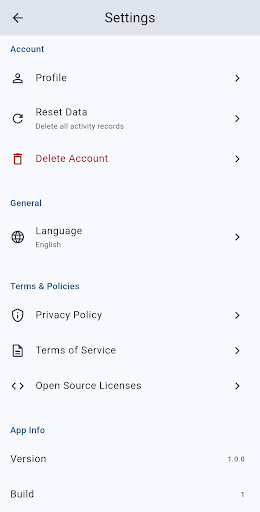
- Multi-language support: The app works in both Korean and English, switching based on your device settings.
Who This Is For
If you’re burned out on productivity guilt, this might resonate. It’s for people who want to feel good about their days instead of anxious about them. It’s for anyone who values simplicity over feature bloat, and accomplishment over obligation.
It’s also for people like me—those who need to see evidence that they’re making progress, even when progress looks like small, mundane things. Sometimes the best productivity tool is the one that reminds you that you’re doing fine.
What I Did is available now on the Play Store. It’s free to use, and I’d love to hear what you think if you give it a try. Version 1.1.5 just shipped with some bug fixes, and I’m actively working on improvements based on user feedback.
Download on Google Play: What I Did – WID
Official page: reactiveworks.dev/apps/wid
Leave a Reply