
Making flashcards by hand is tedious. You spend more time formatting cards than actually studying. I built MementoAI to fix that: paste any text — lecture notes, articles, textbook chapters — and AI generates flashcards for you in seconds.
I built this because I was tired of watching students (and myself) waste hours manually creating study materials. The actual learning should be the focus, not the busywork of card creation. AI is finally good enough to extract key concepts and format them properly, so I wrapped that capability into a swipe-friendly mobile app.
The core idea is simple: you provide the content, AI does the heavy lifting, and you focus on retention. No more copying and pasting into templates. No more deciding what counts as “front” versus “back.” Just dump your text and start studying.
What It Does
MementoAI is built around a few core workflows that make studying faster and more consistent:
- AI-powered card generation: Paste any text and the AI analyzes it to create front/back flashcards. You can provide example cards to customize the format, and it works across subjects — vocabulary, history, science, certification prep, whatever you’re studying.
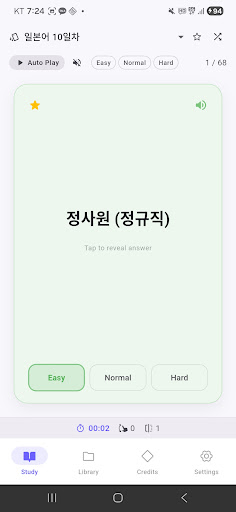
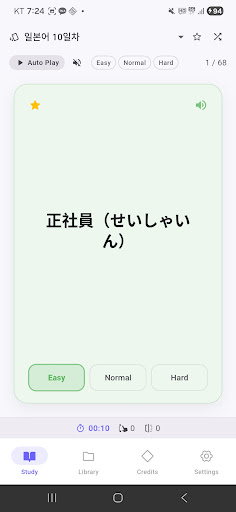
- Swipe-based learning: Tap to flip cards, swipe left or right to mark what you know. Filter by favorites, difficulty, or shuffle mode. You can even navigate with volume keys for hands-free review.
- Floating bubble reminders: A floating bubble pops up throughout the day with flashcards, so you can study passively while using other apps. Customize intervals, card counts, and quiet hours. Filter by folder, deck, or difficulty to focus on weak spots.
- Share decks with friends: Generate a share code to send entire decks or folders to classmates. Anyone can claim shared materials with a code or deep link, and preview content before importing. Great for study groups.
- Study statistics and streaks: Track daily, weekly, and monthly study time, swipes, flips, and efficiency. Maintain a daily streak with visual feedback, and see which decks you’re actually using.
- Text-to-speech playback: Auto-play mode reads cards aloud with adjustable speech rate. Sequence mode lets you listen continuously, which is especially useful for language learning.
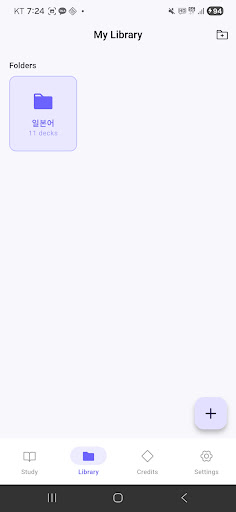
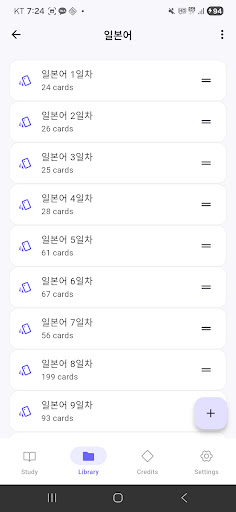
The app supports folder-based organization with custom icons and colors, drag-and-drop reordering, and bulk operations. It also has dark mode and multi-language support (English, Korean, Japanese).
Who It’s For
This app is for anyone who needs to memorize information but doesn’t want to spend hours setting up their study system. Students preparing for standardized tests, professionals studying for certifications, language learners building vocabulary, or study groups sharing materials — if you’re dealing with large amounts of text that need to become flashcards, this will save you time.
The floating bubble feature is particularly useful if you want to fit studying into idle moments throughout the day without opening a dedicated app. The share codes make it easy to collaborate, which is helpful if you’re part of a class or group where everyone’s studying the same material.
Try It Out
The app is free to start, with welcome credits included. You can earn more by watching rewarded ads or leaving a review. Version 1.0.4 just shipped with bug fixes for statistics and bubble notifications.
If you’re tired of manual flashcard creation, give it a try. It’s designed to get out of your way and let you focus on the actual studying.
Download on Google Play: MementoAI – AI Made Flashcards
Official page: reactiveworks.dev/apps/mementoai