
Making flashcards by hand is tedious. You know what you need to memorize—vocabulary lists, lecture notes, textbook chapters—but typing out hundreds of cards manually feels like punishment before the real studying even begins.
I built MementoAI to eliminate that friction. Paste any text, and AI generates front-and-back flashcards automatically. Then study them with simple swipe gestures, set floating bubble reminders throughout your day, and share entire decks with classmates using share codes.
Why I Built This
I’ve always been a believer in spaced repetition, but every flashcard app I tried had the same problem: the setup cost was too high. Before I could start memorizing anything, I’d spend hours formatting cards, splitting concepts into questions and answers, and organizing everything into decks.
I wanted the benefits of flashcard-based learning without the manual labor. So I built an app that uses AI to handle the card creation, then added the features I actually wanted in a study tool: passive reminders via floating bubbles, easy deck sharing for study groups, and a clean swipe interface that works one-handed.
What It Does
- AI card generation: Paste text from textbooks, articles, or notes, and the AI analyzes it to create flashcards. You can provide example cards to customize the format, and it works across any subject—languages, history, science, professional certifications.
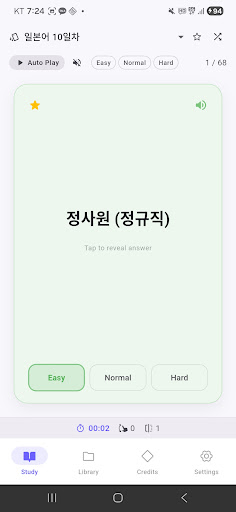
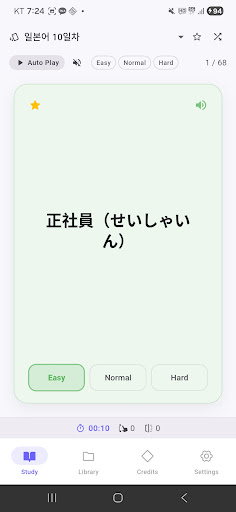
- Swipe-based learning: Tap to flip a card and reveal the answer. Swipe left or right to mark what you know. Filter by favorites, difficulty level, or shuffle for variety. You can even navigate with volume keys for hands-free studying.
- Floating bubble reminders: This is my favorite feature. Bubbles pop up throughout the day with flashcards overlaying whatever app you’re using. Customize the interval, number of cards, quiet hours, and filter by folder or difficulty. It turns dead time into study time.
- Deck and folder sharing: Generate a share code to send decks or entire folders to friends. They can preview the content before importing. Perfect for study groups or classmates preparing for the same exam.
- Study statistics and streaks: Track daily, weekly, and monthly activity with graphs showing study time, swipes, flips, and efficiency. Maintain a daily streak with a fire badge to stay motivated.
- Text-to-speech auto-play: Cards can be read aloud automatically with adjustable speech rate and continuous playback mode. Especially useful for language learners practicing pronunciation.
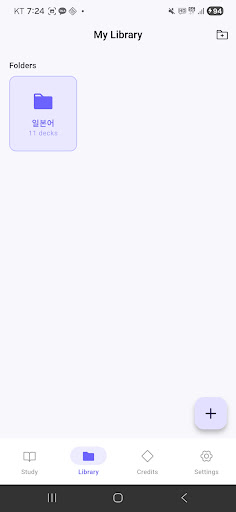
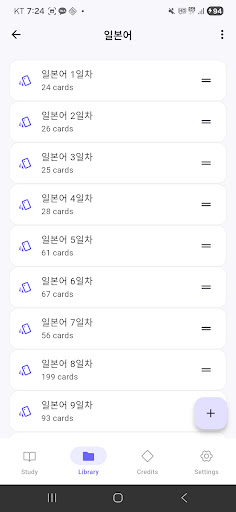
The app organizes everything in a three-tier hierarchy: folders contain decks, decks contain cards. You can assign custom icons and colors to folders, drag and drop to reorder, and use multi-select for bulk operations. Dark mode and multi-language support (English, Korean, Japanese) are included.
Who It’s For
If you’re a student preparing for standardized tests like TOEIC, IELTS, or the SAT, this will save you hours of card creation. Same goes for professionals studying for certifications or anyone learning a new language. The share code feature makes it especially useful for study groups—one person can generate the deck, and everyone else imports it instantly.
More broadly, it’s for anyone who wants the cognitive benefits of spaced repetition without the setup friction. If you’ve ever abandoned a flashcard app because making the cards felt harder than just re-reading your notes, this solves that problem.
Getting Started
The app is free to start with welcome credits included. You can earn more by watching rewarded ads or leaving a review. Version 1.0.4 just shipped with bug fixes for statistics and bubble notifications.
If you’ve been putting off memorization work because the tooling felt too heavy, give MementoAI a try. It’s designed to get out of your way so you can focus on actually learning.
Download on Google Play: MementoAI – AI Made Flashcards
Official page: reactiveworks.dev/apps/mementoai
Leave a Reply