Ever recorded a meeting, interview, or voice memo in M4A format and wished you could instantly convert it to searchable text? Or better yet, translate that audio into another language without manually transcribing it first? That’s the problem I set out to solve.
I built M4A to Text & Translate because I kept running into this exact workflow bottleneck. I’d record audio on my phone, then waste time either typing it out by hand or jumping between multiple tools to transcribe and translate. I wanted something that could do both in one place, powered by the best AI available.
The app uses OpenAI’s Whisper API for speech recognition and DeepL for translation. Whisper is remarkably accurate even with background noise or multiple speakers, and DeepL produces translations that actually sound natural rather than robotic.
What It Does
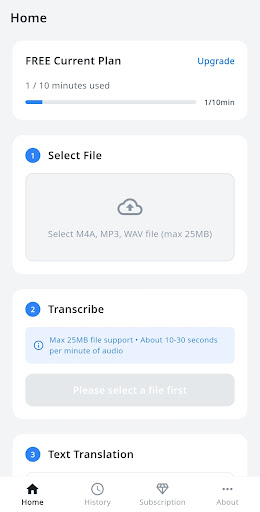
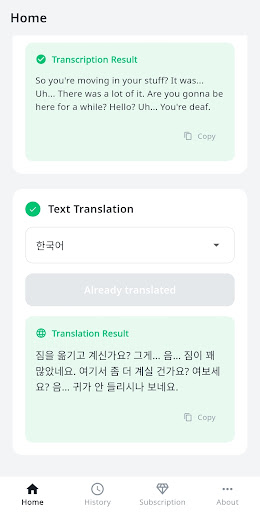
The workflow is straightforward: pick an M4A file from your device, tap convert, and get accurate text back in seconds. From there, you can translate that text into any of ten supported languages.
- AI-powered transcription: OpenAI Whisper converts speech to text with industry-leading accuracy, handling accents and audio quality issues better than traditional speech recognition
- Natural translation: DeepL translates your transcribed text into Korean, English, Japanese, Chinese, Spanish, French, German, Italian, Portuguese, or Russian
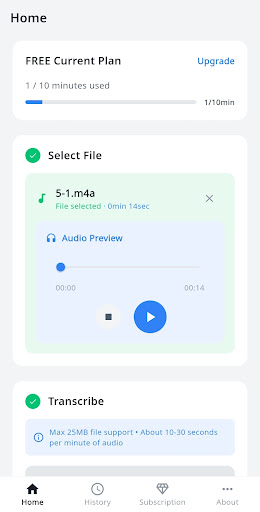
- Built-in audio player: Preview your audio file before converting to make sure you’ve selected the right one
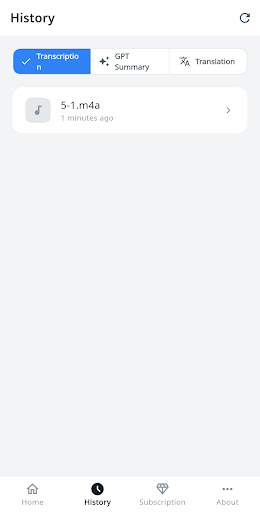
- History management: All your past transcriptions and translations are saved so you can review, copy, or re-export them anytime
- Real-time progress tracking: Watch the conversion happen in real time so you know exactly how long it’ll take
The app works on a minute-based quota system. Free users get 10 minutes per month to test it out. If you’re transcribing regularly, the Basic plan gives you 100 minutes monthly, and Pro users get 300 minutes. You can also buy one-time top-ups if you occasionally need more.
Who It’s For
I originally built this for my own freelance work, but it turns out the use cases are pretty broad. Journalists and researchers can transcribe interview recordings. Students can convert lecture audio into notes and translate foreign language content. Remote workers can transcribe meeting recordings and share written summaries with their team.
If you work with podcasts, conduct user research interviews, or just want to turn your voice memos into searchable text, this tool will save you hours of manual work.
Privacy and Security
One thing I prioritized from day one: your audio files are deleted immediately after processing. The app doesn’t store your recordings on any server beyond the few seconds needed to transcribe them. API keys are managed server-side, and all communication is encrypted with SSL/TLS.
You can sign in with Google or email, and subscription billing is handled securely through Google Play. The tech stack includes Firebase for authentication and data management, so everything follows industry-standard security practices.
If you’ve been looking for a fast, accurate way to transcribe and translate M4A audio files on Android, give it a try. The free tier is generous enough to test the full workflow, and the paid plans are designed for regular use without breaking the bank. You can reach me at siwooeo@gmail.com if you have questions or feature requests.
Download on Google Play: M4A to Text & Translate
Official page: reactiveworks.dev/apps/m4a-to-text
Leave a Reply